EventScript Studio - IDE for RPG Maker MZ
A downloadable tool for Windows
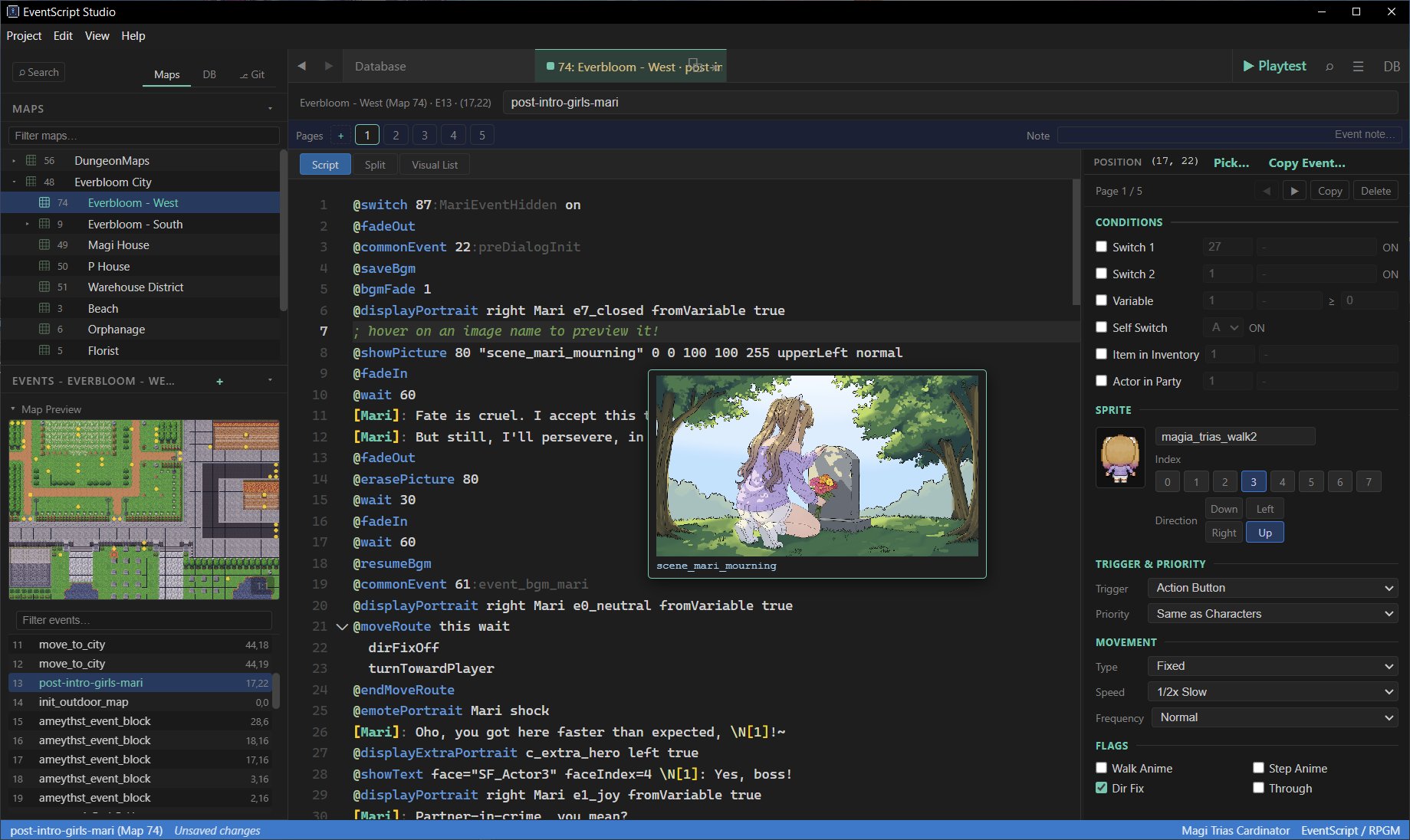
A text-based IDE for RPG Maker MZ eventing. Stop clicking through menus - write your story.
Instead of wrestling with RPG Maker's event editor, write dialogue and logic as clean, readable EventScript. Each command is one simple @ line. Hit Ctrl+S and it compiles directly into your game's JSON. RPGM MZ sees standard event commands it already understands. No plugins needed at runtime.
Built for visual novel and dialogue-heavy RPG Maker MZ projects where the built-in editor's clicks-per-line stop scaling. Made with QoL in mind by a MZ game developer suffering from click fatigue.
Why use it
- Write dialogue directly -
Speaker: line of textcompiles to RPGM's Show Text command. No window-by-window clicking. - Skip the event command picker - branching, switches, vars, move routes, choices, scripts, plugins - every RPGM command is one line of EventScript.
- Plugins as native commands - one-click wizard imports any
js/plugins/command as@shorthandwith typed completions and validation. - 100% RPGM MZ command coverage - every documented event command has a EventScript shorthand. Unknown / experimental commands round-trip via
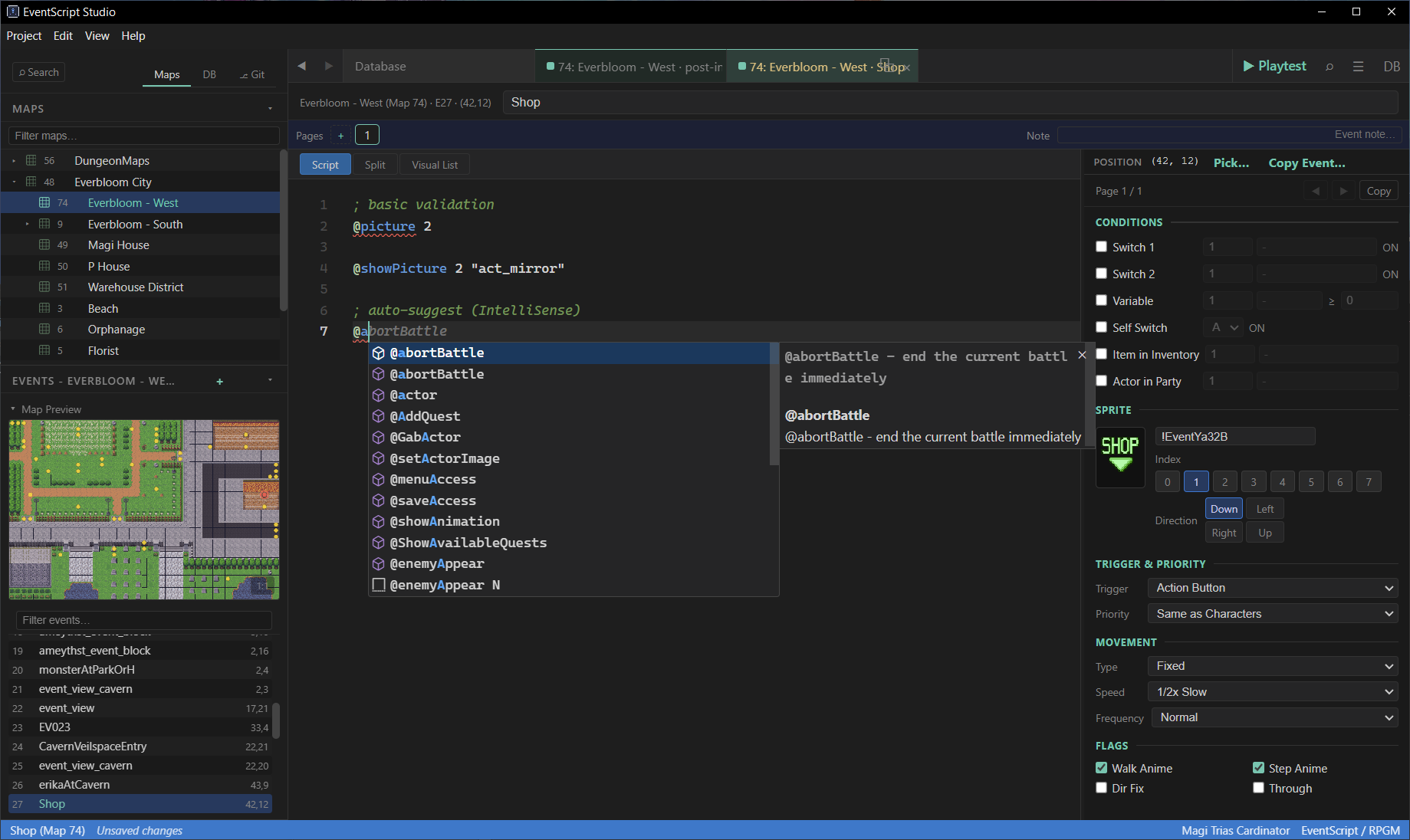
@rpgmpassthrough. - Smart autocomplete (Intellisense) - switch / variable / actor / item / skill / animation / map / common event names auto-complete by typed name or ID. Same for plugin command args.
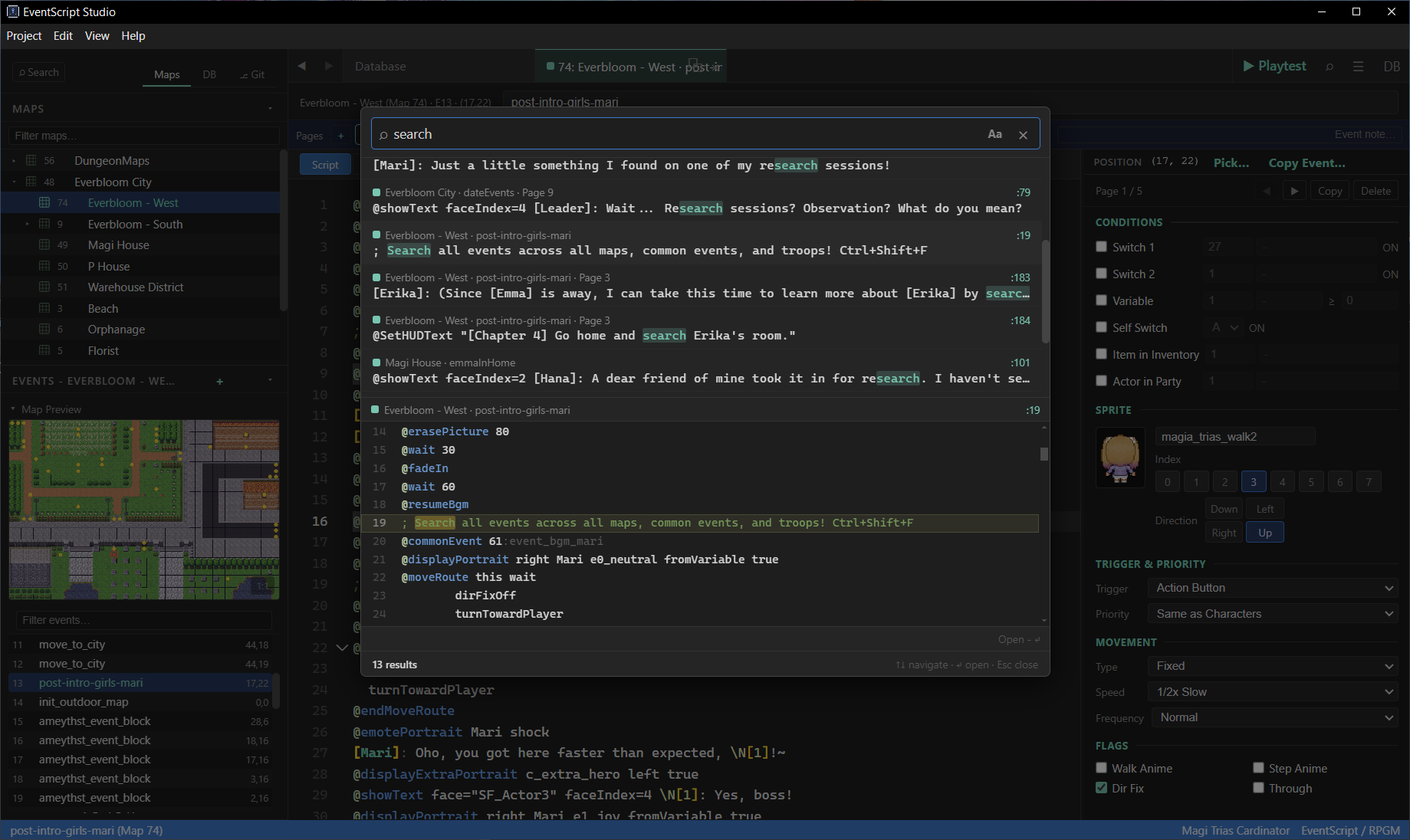
- Global search across the entire project - find any line of dialogue, any switch reference, any plugin call across maps + common events + troop battles in one keystroke.
- Bidirectional - edit the same event in RPGM MZ, save there, the editor detects the change and offers to reload.
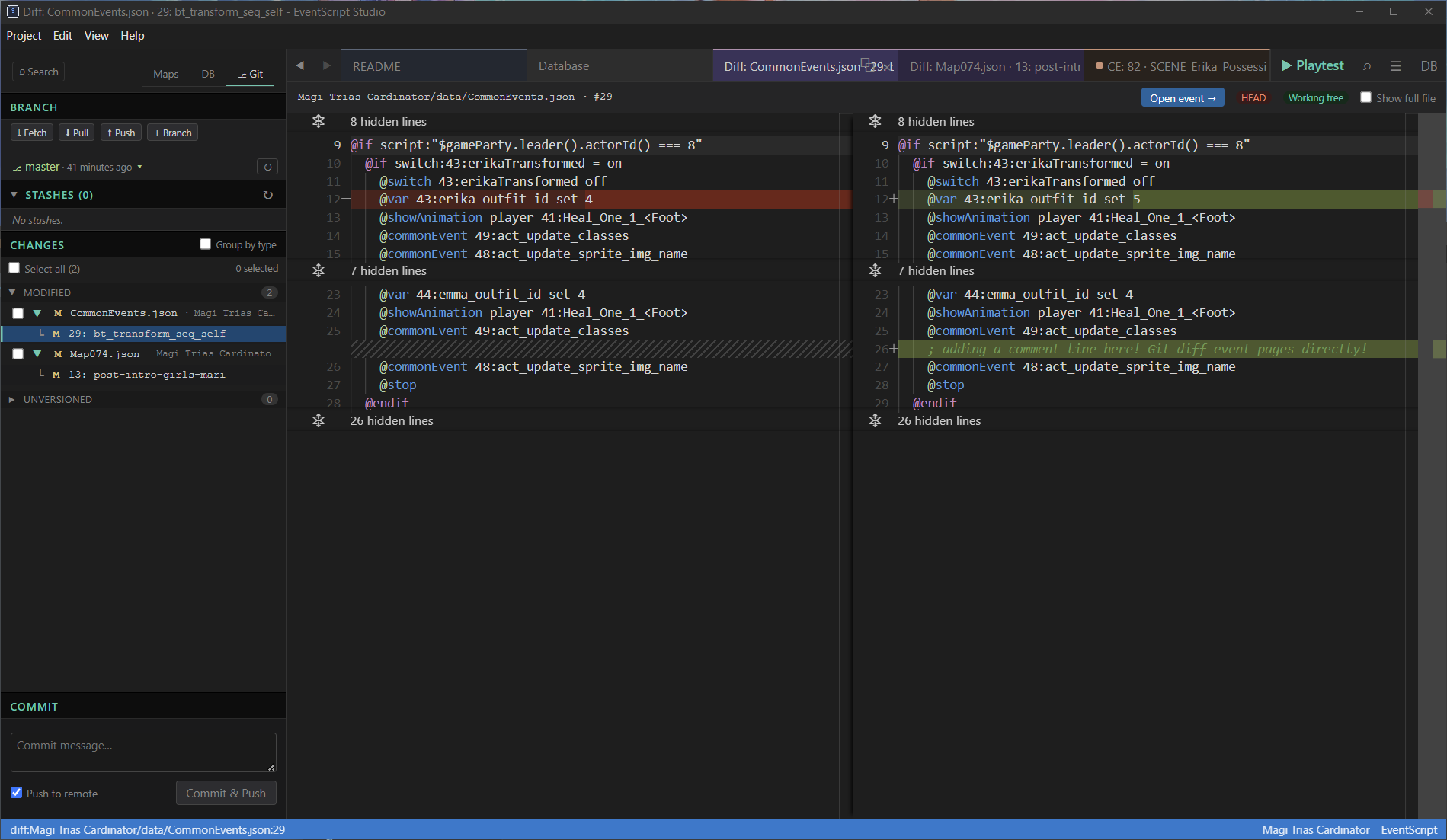
- Git integration - stage, commit, branch, stash from inside the editor, with per-event diffs for Map / Common Event / Troop files so you see which specific event changed. Merge conflict resolution not supported.
- No plugin or runtime dependency - reads and compiles your game's
.jsonfiles, which contain standard RPGM event commands. Ship without bundling EventScript Studio. - Lifetime free updates - buy once, every future version included at no extra cost.
Quickstart
- Open your project - Project -> Open Game Folder (or
Ctrl+Shift+O) -> select your.rmmzprojectfile. - Pick an event - the Maps sidebar lists every map. Click a map, click an event dot on the tile preview, or pick from the events list.
- Edit in EventScript:
Erika: Hi there!
@choice
 - Yes
 - No
@endchoice
@if_choice 0
  Erika:
@if_choice 1
  Erika:
@endif
- Save -
Ctrl+S. The editor compiles to RPGM's JSON format and writes directly todata/MapXXX.json. - Open in RPGM MZ - your event is there as normal RPGM event commands. Run playtest to see it work.
Editing primer
A few common command shapes - see COMMANDS.md (included in the application) for the full reference.
About theid:namesuffixes (e.g.switch:14:erikaTransformed,actor:6:Erika,42:MagicCrystal): the part after the second colon is a human-readable name that the editor auto-fills from your project data the moment you type the id. You don't have to type it yourself. The id alone is enough; the name is cosmetic for readability and re-fills if you rename the entry in your RPGM database.
Dialogue and choices
Plain `Speaker: text` compiles to Show Text. Quoted speakers can contain spaces. @choice defines the options block; @if_choice N branches on the selected option index. Erika: Default-style dialogue.
"The Old Man": Quoted names allow spaces.
: Narration with no speaker.
@showText face="SF_Actor1" faceIndex=4 bg=dim Erika: Custom style + face.
@choice cancelType=branch
 - Yes
 - No
@endchoice
@if_choice 0
 Erika: You said yes.
@if_choice 0
 Erika: You said no.
@if_cancel
 Erika: You cancelled.
@endif
Conditionals
@if branches on switches, variables, items, actors, gold, timer, button presses, JS exprs. The `:erikaTransformed` and `:erikaSoulScore` name suffixes are auto-filled by the editor.
@if switch:14:erikaTransformed = on
 Erika: In magical form!
@else
 Erika: Just a regular girl.
@endif
@if var:3:erikaSoulScore >= 50
 Erika: My soul score is high.
@endif
Switches, variables, items
Mutate game state. `86:MagiHouseEventHidden` is auto-filled - you only typed `86`.
@switch 86:MagiHouseEventHidden on
@var 3 add 10
@changeItem 5 increase 2
Movement routes
@moveRoute target [repeat] [skippable] [wait] opens a block. Each indented line is one move sub-command; `this` = current event, `player` = player, a number / `N:name` = a specific event.
@moveRoute this skippable wait
 down
 down
 right
 jump 1 0
 wait 10
@endMoveRoute
Calling common events / scripts
@commonEvent invokes a Common Event by id. @script runs raw JS in the RPGM game runtime. The `:preDialogInit` name is auto-filled from CommonEvents.json.
@commonEvent 22:preDialogInit
@script "$gameSwitches.setValue(10, true)"
Plugin commands (with vns-config.json set up via the wizard)
Register plugin commands via Project -> Plugin Commands Setup to get @shorthand syntax. Arg names + values auto-complete from the plugin's annotations.
@displayPortrait right Mari e1_joy fromVariable @focusPortrait Mari false
Key features
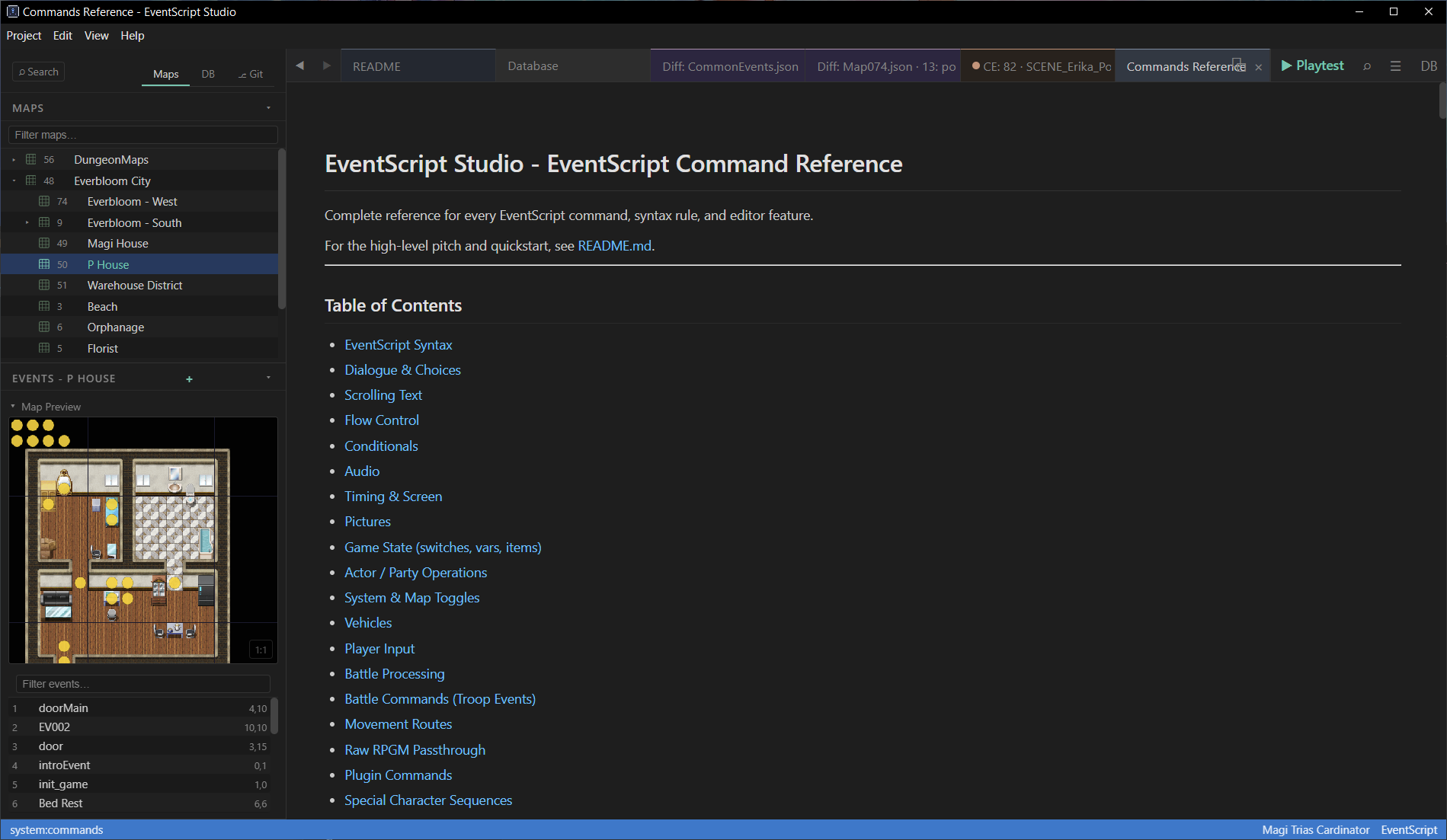
- Map browser with live tile preview, event dots, and shift-click to create new events at any tile
- Database panel (
Ctrl+Shift+V) - switches, variables, common events, troops in tabs with searchable inline-rename - Git panel - stage / commit / push / branch / stash from the sidebar, with per-event diffs for Map / Common Event / Troop JSON; one-click init with optional `.gitignore` + LFS setup
- Global search (
Ctrl+Shift+F) - across every event in every map + common events + troops - Plugin Commands Setup (
Ctrl+Shift+C) - auto-scansjs/plugins/,lets you register plugin commands as@shorthandsyntax - Visual Command List - toggle to see the compiled RPGM command list side-by-side
- Page editor - multi-page map / troop events with full condition editors (switches, vars, self-switches, items, actor-in-party for maps; turn/switch/enemy/actor for troops)
- Real-time validation - required arg checks, enum value checks, compile errors block save
- File-watching - if you edit the same event in RPGM MZ, the editor offers to reload
- Pop-out tabs - drag any event to a separate window
Be aware that there is no map editor - please use RPG Maker MZ for that. You can place new events or set player start location in this application, however.
Plugin support
EventScript Studio gives RPGM MZ plugins first-class treatment in the editor.
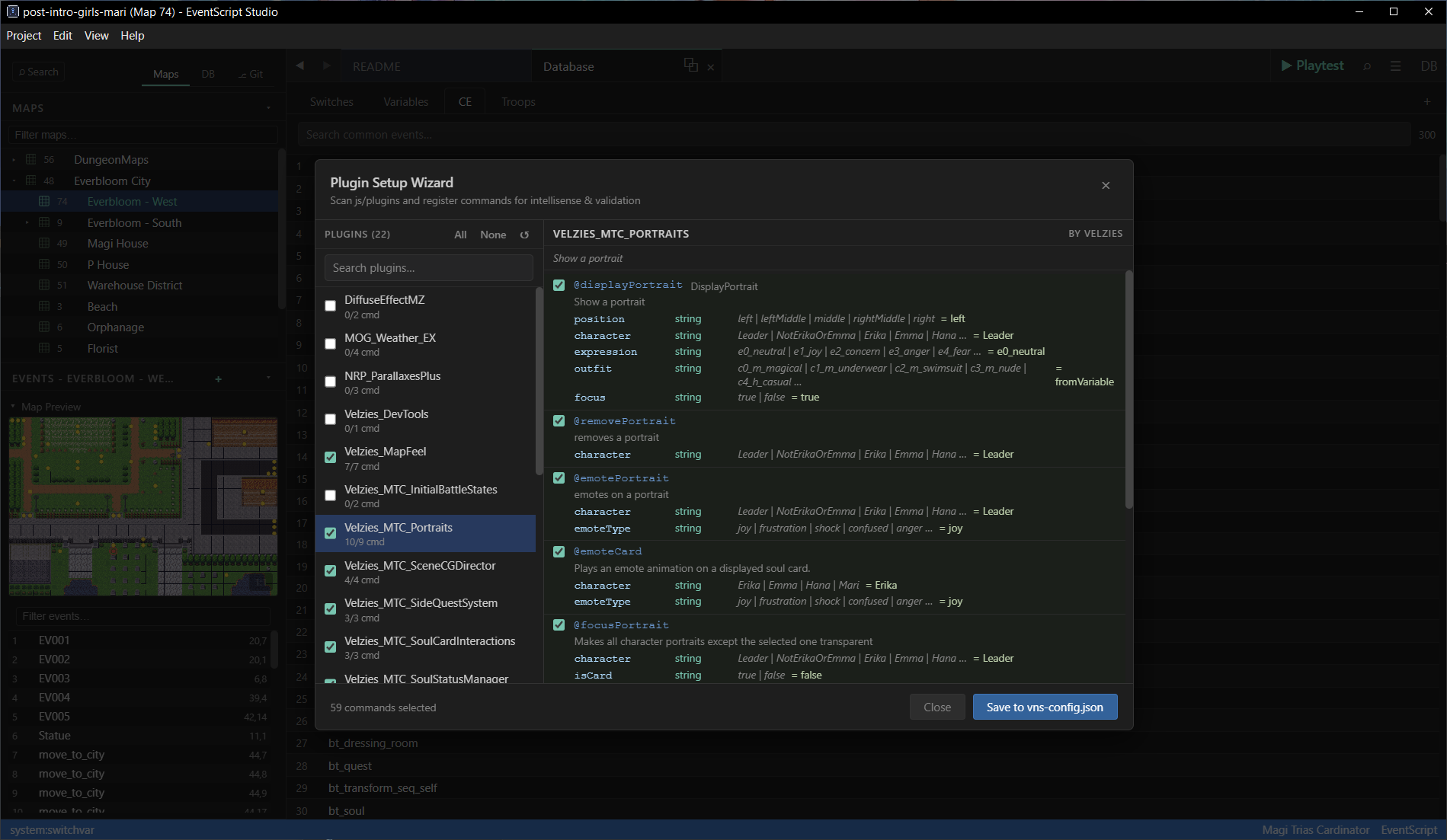
Plugin Commands Setup wizard (Ctrl+Shift+C ):
- Scans your
js/plugins/folder - Parses each plugin's
/*: ... */annotation header to extract@commandand@argdefinitions - Shows you the discovered commands - tick the ones you want as
@shorthandsyntax - Writes the selection to
vns-config.jsonin your game root
Once registered, each plugin command becomes:
- A
@commandNameshorthand in the editor (no more@plugin LongPluginName CommandName key=val) - With typed argument completions -
actor,weapon,armor,state,switch,variable,animation, BGM/SE files, character sprites - all auto-suggested from your actual project data - With enum dropdowns for
select/combo/booleanargs - With required-arg validation - missing args become red squigglies in real time
- With snippet expansion - pressing Enter after
@commandNamefills placeholders for every arg
Snippet expansion: typing @displayPortrait + Enter expands to placeholders. "Mari" auto-completes from the character list defined in your vns-config; "right" / "left" / "center" come from the plugin's @option list.
@displayPortrait right Mari e1_joy fromVariable
Plugin-sourced commands compile to RPGM's native Plugin Command (code 357), so they work with any MZ plugin without any runtime dependency on EventScript Studio. Re-run the wizard after installing new plugins to pick up additions; existing entries are preserved.
Plugins with no @command annotations are still callable via the generic @plugin form.
Requirements
- RPG Maker MZ project (
.rmmzprojectfile in the project root) - Windows 10/11 (Mac/Linux untested)
- 250 MB free disk (Electron bundle)
EventScript Studio edits RPG Maker MZ project data. It does not include or replace the RPG Maker MZ engine, editor, or assets. You still need RPG Maker MZ itself for map editing, the full database, troop layouts, plugins, playtest, and deploy.
You must own a legal copy of RPG Maker MZ to use this tool. EventScript Studio ships zero RPG Maker MZ content: no engine code, nonwjsruntime, no RTP tilesets / sprites / music / icons, no editor binaries, no project templates. Playtest works by launchingnw.exefrom your installed copy of RPG Maker MZ. If you don't own RPG Maker MZ, this tool has nothing to edit and nothing to launch.
Full command reference
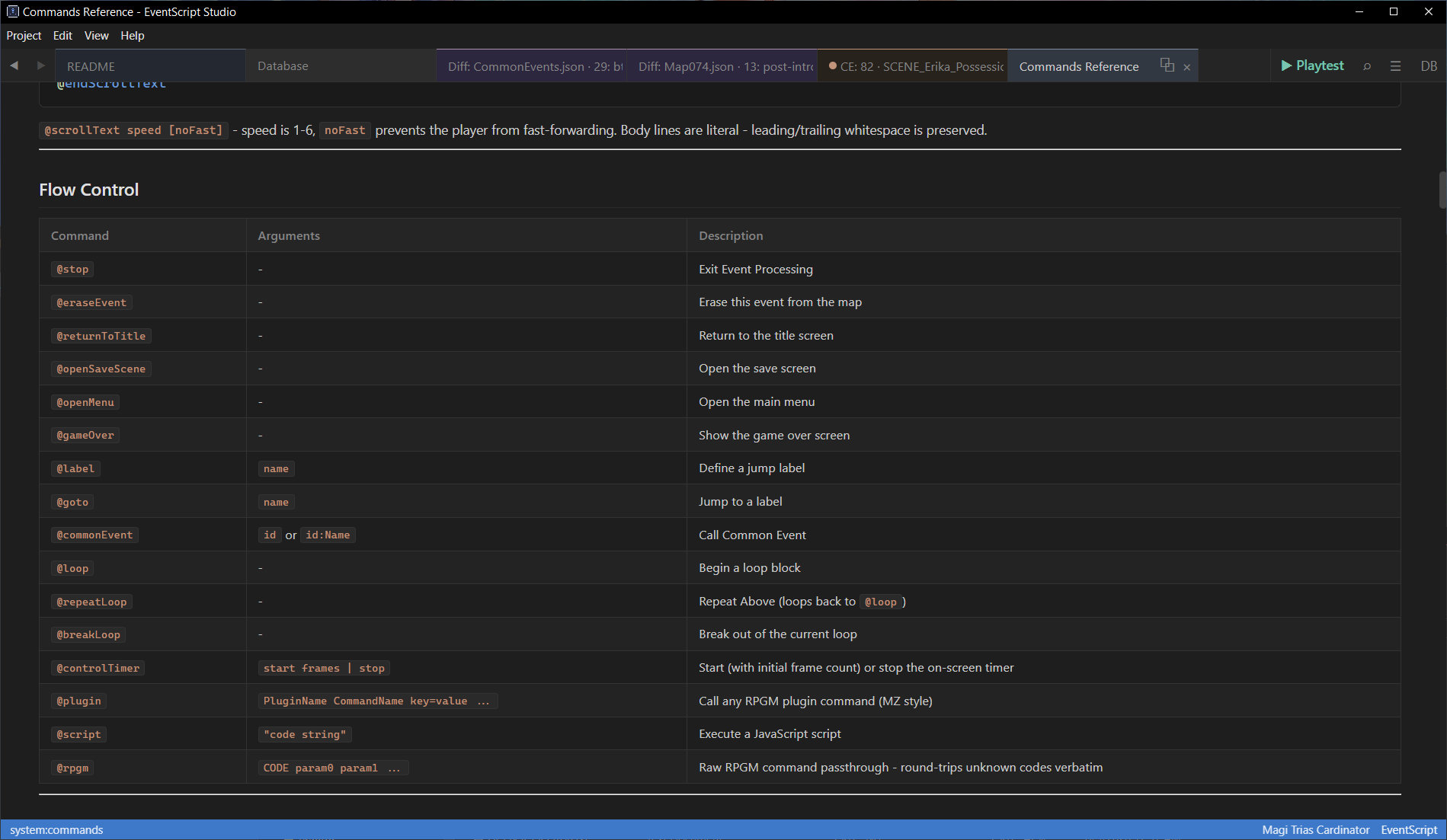
See the COMMANDS.md included with the application (Open with F1) - every EventScript command, syntax rule, condition type, move sub-command, and shortcut.
License
Single-user commercial license. Outputs (your event data) are 100% yours; use in any free or commercial project, no royalties or attribution required.
RPG Maker® and RPG Maker MZ® are trademarks of Gotcha Gotcha Games Inc. and/or Kadokawa Corporation. EventScript Studio is an independent third-party tool and is not affiliated with, endorsed by, or sponsored by Gotcha Gotcha Games or Kadokawa.
Unsigned App Warning
New unsigned app - Windows may say "Windows protected your PC" on first launch. Click More info -> Run anyway (it is clean, just no reputation yet). Or install via the itch app to skip the warning. It is safe, I promise.
Purchase
In order to download this tool you must purchase it at or above the minimum price of $14.99 USD. You will get access to the following files:
Development log
- v0.1.1 release16 days ago
- Initial Launch - EventScript Studio 0.1.0 is out!46 days ago
Comments
Log in with itch.io to leave a comment.
Hey everyone!
Thanks for checking out this page and tool! This is an early release (and priced as such), but I've been using this application to develop my own MZ game for quite a while so I am confident that compiler/decompiler logic is solid; it is backed by 200+ unit and round-trip e2e tests. UI components mostly had to be tested by hand after each new PR though.
If you do encounter bugs, do let me know and I will fix them. Thank you!